

How to Create a Wedding Photo Album with a QR Code
The Problem
Your wedding day is a blur of beautiful moments. While your professional photographer captures the main events, your guests are capturing all the candid, hilarious, and spontaneous moments happening in between.
But here is the sad truth: guests take hundreds of photos, but you rarely see them.
AlbumDrive gives guests one upload page and saves their selected files in your Google Drive. They do not need to join a group or share phone numbers to upload. Photo quality in a chat depends on the sending method; AlbumDrive uploads the selected photo file without recompressing it.
Why You Need a QR Code Wedding Album
Guests scan the QR code or open the link, select their files and upload from their browser without creating an account. The host signs in and connects their Google Drive account.
AlbumDrive uploads the photo file your guest selects without recompressing it. Download the saved file from your Drive when you need it.
Short videos require Plus or Premium, host activation, and a maximum of 30 seconds and 100 MB. For some formats AlbumDrive saves the original and a compatible playback copy in Drive.
How to Set Up Your Wedding Digital Photo Album QR Code
- Sign in as the host and create the wedding event.
- Connect your Google Drive account to save the uploaded files.
- Download the event QR and share it or the upload link with guests.
- Guests select their photos and upload from the browser without an account.
Create your wedding event, connect your Google Drive and download the event QR from your dashboard. Print it on table cards or a welcome sign. Test the QR on a phone before printing the final version and check that guests have internet access at the venue.
Where to Place the QR Code at Your Wedding
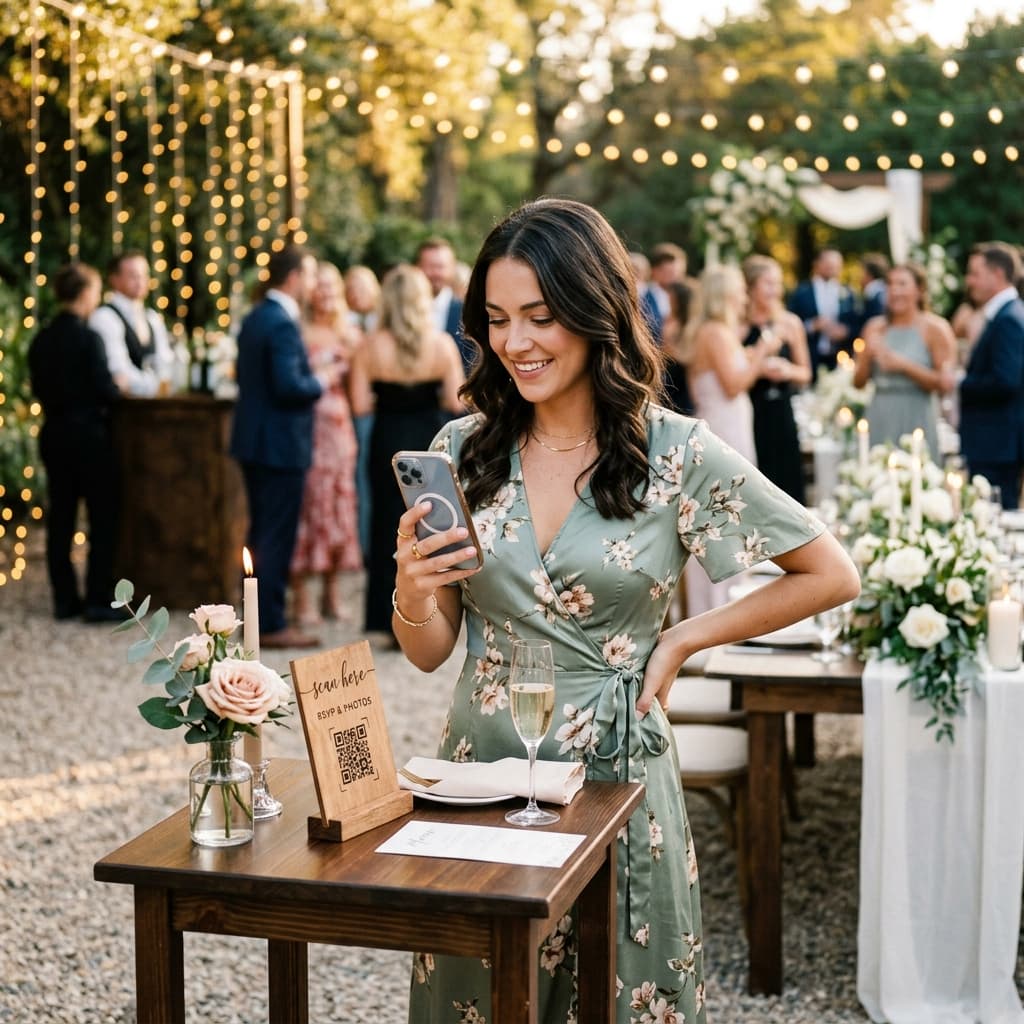
To get the most out of your qr code wedding album, the code needs to be visible where people are actually taking pictures:
- Centerpieces on the Tables: This is the most common and effective spot. People sit down, see the code, and remember to upload their dinner and table selfies.
- The Welcome Entrance: Add it to the welcome sign with a quick note like "Help us capture the magic!"
- The Bar: People spend a lot of time at the bar. A small sign next to the drink menu works wonders.
- Digital Invitations / Programs: Include the link or QR code early on so guests know where to send photos.
Frequently Asked Questions
Do guests need a Google account?
Guests scan the QR code or open the link, select their files and upload from their browser without creating an account. The host signs in and connects their Google Drive account.
Where are the wedding photos stored?
Files are saved in the Google Drive account connected by the host. AlbumDrive uses the permissions needed to upload and display them. Some event folders are shared with anyone who has their link; technical processing or caching may be used for playback. Review the privacy policy and event settings before sharing sensitive content.
Can I test the album before the wedding?
Yes. You can use a separate Free event to try the guest upload flow with up to 30 photos over 3 days. Plus and Premium also let the host upload and preview the album before the scheduled start without activating the event. Remove test photos before sharing the wedding album.
Don't Let Your Memories Disappear
Try your shared album free with up to 30 photos over 3 days. Short videos require Plus or Premium and host activation.
The upload window is 3 days with Free and 30 days with Plus or Premium. When it ends, guests can no longer upload. Files already saved in your Google Drive are not deleted just because uploads close. Access to the AlbumDrive gallery also depends on the event remaining available, your settings and the Drive connection.