

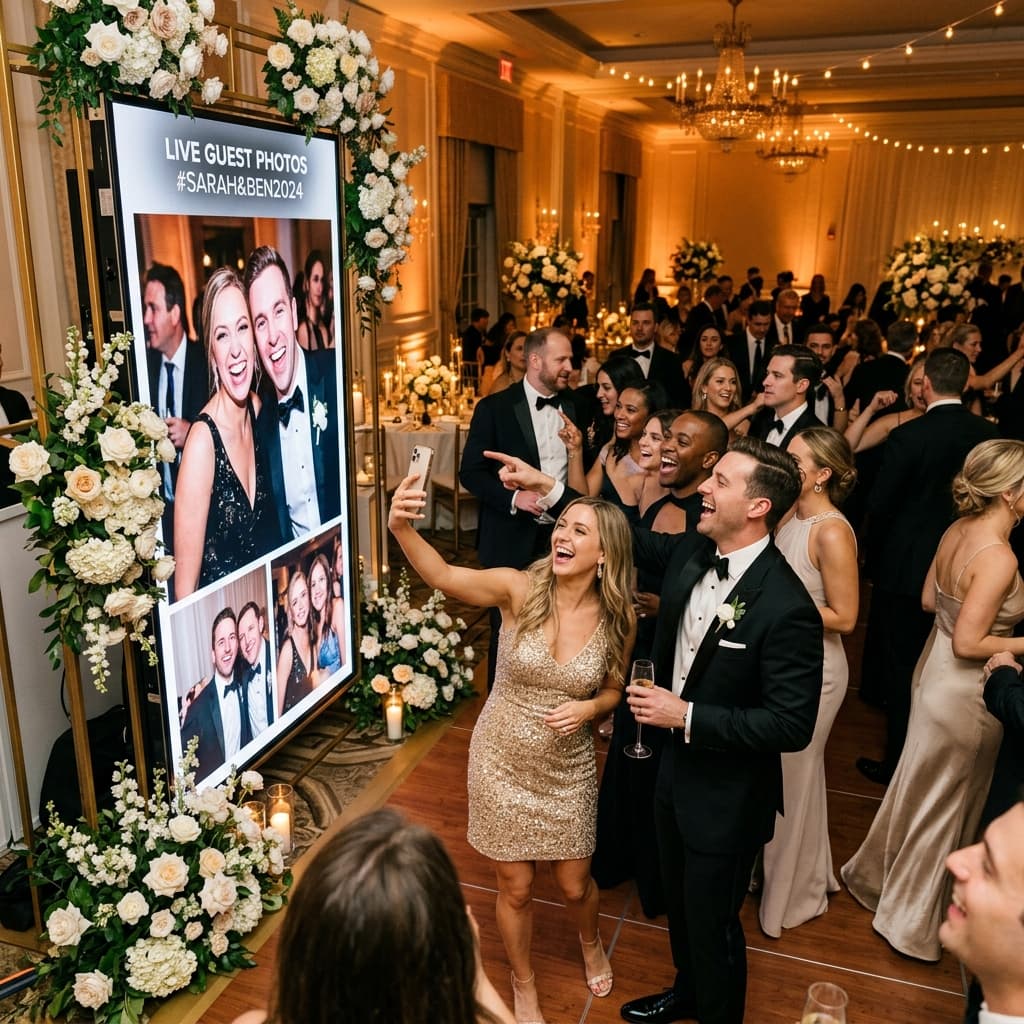
WEDDINGS 2026: The Era of Interactive Photography and Live Sharing
A shared album can invite wedding guests to contribute their own perspectives alongside the professional photographer’s work. Live projection is one option, not a requirement for an interactive celebration.
1. The Live Slideshow: Your Guests are the Protagonists
Live photo projection requires Premium, a compatible browser connected to a screen or projector, and internet access. Test the actual venue setup before the event. Photos appear after guests upload them, not automatically when they take them.
This live projection (or Live Photo Streaming) completely changes the party dynamic:
- Instant Gratification: Guests get excited seeing their own shots projected for everyone to see.
- Multiplier Effect: Seeing incredible photos on the screen encourages other guests to pull out their phones and capture more moments.
- Collective Narrative: It's no longer just the professional photographer's vision; it's the story of your wedding told from 150 different angles simultaneously.
Photo Booth or Live Slideshow: Different Uses
A photo booth and a guest-uploaded album serve different purposes and can be used together. Compare the booth’s local quote, staffing and prints with the screen, internet and moderation setup needed for a Premium slideshow.
Free receives up to 30 photos over 3 days. Plus and Premium receive uploads over 30 days and support short videos when enabled by the host. Paid capacity is subject to album limits and available Drive storage.
3. Participatory Experience: Beyond the Hashtag
A hashtag can help guests share on social media, but visibility depends on account settings and files may be spread across platforms. A dedicated upload link offers another way to gather the photos guests choose to contribute.
Drive folder permissions and AlbumDrive gallery visibility are separate settings. Review both before sharing the link; a QR code is not proof that someone is physically at the venue.
AlbumDrive uploads the photo file selected by the guest without recompressing it. Print quality still depends on the source image, lighting and focus.
4. How to Implement This Trend in Your Wedding
To make your wedding remembered as a smooth and high-end experience, follow these steps:
- Position the screen where guests can see it without disrupting the celebration.
- Place readable QR signs with a clear request to select and upload photos.
- Choose Premium for projection and activate prior approval if you want a moderator to review files before display.
- Test the guest and screen flows before the wedding.
Conclusion
Wedding technology in 2026 is not about complicated gadgets, but about human connection. It's about allowing your loved ones to share their joy with you in the most natural way possible.
Want your wedding to be the most interactive of the year? Discover how to make it happen with AlbumDrive.