

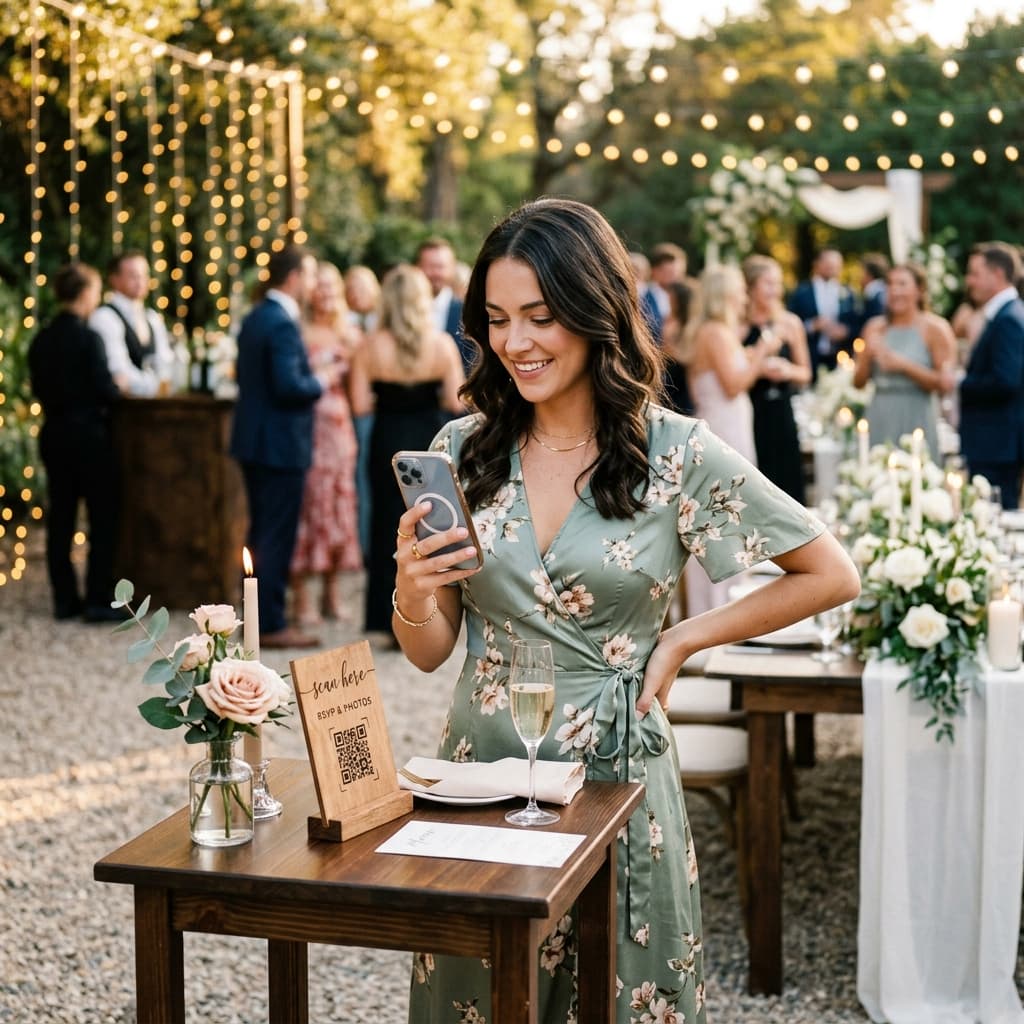
QR-Code für Hochzeitsfotos: Druck, Platzierung und Gästeanleitung
Machen Sie den Hochzeits-QR-Code leicht scannbar: Testdruck prüfen, sichtbar platzieren und klare Upload-Hinweise ergänzen.
1. Was der Hochzeitsfoto-QR-Code öffnet
Gäste scannen den QR-Code oder öffnen den Link, wählen Dateien aus und laden sie im Browser ohne eigenes Konto hoch. Der Veranstalter meldet sich an und verbindet sein Google-Drive-Konto.
AlbumDrive lädt die vom Gast ausgewählte Fotodatei ohne erneute Komprimierung hoch. Laden Sie die gespeicherte Datei bei Bedarf aus Ihrem Drive herunter.
2. Gedruckten QR-Code vor der Hochzeit testen
- Erstellen Sie zuerst das Album und testen Sie den Upload-Link auf einem Smartphone.
- Drucken Sie ein Muster mit Kontrast und Abstand um den QR-Code. Scannen Sie den Ausdruck, nicht nur das Bildschirmdesign.
- Testen Sie die Lesbarkeit aus der vorgesehenen Entfernung bei der Beleuchtung vor Ort; vermeiden Sie Falten, Spiegelungen und Schmuck über dem Code.
- Ergänzen Sie „Scannen, Fotos auswählen und hochladen“ sowie den direkten Link als Alternative.
3. Wo Sie den Hochzeitsfoto-QR-Code platzieren
Die Lage ist alles. Wenn der Code QR nicht angezeigt wird, wird er nicht verwendet. Hier sind einige kreative und effektive Ideen:
- Mittelstücke: Legen Sie eine kleine, elegante Karte oder einen Acrylrahmen auf jeden Tisch. Es ist der Ort, an dem Gäste die meiste Zeit damit verbringen, mit ihren Telefonen in der Hand zu sitzen.
- Die Bar: Ein hochfrequentierter Punkt! Während sie auf ihren Cocktail warten, ist es für sie der perfekte Zeitpunkt, Zeremonienfotos hochzuladen.
- Dankeskarten: Sie können sie auf kleinen Karten zusammen mit dem Menü oder dem Veranstaltungsprogramm beifügen.
- Bildschirm im Saal: Zeigen Sie den QR-Code auf einem Bildschirm, damit Gäste ihn scannen können. Die Live-Fotoprojektion ist eine zusätzliche Premium-Funktion.
4. Profi-Tipps für den Event-Tag
Erleichtern Sie das Scannen und Hochladen mit diesen Prüfungen:
- Konnektivität testen: Stellen Sie sicher, dass am Veranstaltungsort ein gutes Datensignal vorhanden ist oder dass das WLAN einfach zu nutzen ist.
- Beleuchtung: Platzieren Sie das QR nicht in einer dunklen Ecke, wo es von der Kamera nicht erkannt wird.
- Kurze Anleitung: Obwohl es offensichtlich erscheint, fügen Sie einen kleinen Text hinzu: „Scannen Sie diesen Code mit Ihrer Kamera, um Ihre Fotos zu teilen.“ Ältere Gäste werden es Ihnen danken.
Fazit
Testen Sie Ihr geteiltes Album kostenlos mit bis zu 30 Fotos innerhalb von 3 Tagen. Kurze Videos benötigen Plus oder Premium und die Aktivierung durch den Veranstalter.
Uploads sind im kostenlosen Tarif 3 Tage und mit Plus oder Premium 30 Tage möglich. Danach können Gäste keine Dateien mehr hochladen. In Ihrem Google Drive gespeicherte Fotos und Videos werden nicht allein deshalb gelöscht. Der Zugriff auf die AlbumDrive-Galerie hängt auch von der Verfügbarkeit des Events, seinen Einstellungen und der Drive-Verbindung ab.