

How to Receive Photos from All Your Wedding Guests (Without Asking)
Your wedding day is likely one of the most documented events of your life. You have a professional photographer capturing the key moments, but you also have 100, 150, or 200 "secondary photographers" (your guests) with their smartphones capturing candid moments, laughter at the tables, and wild dance moves that the professional might not always see.
The problem comes the next day: how to receive wedding guest photos without it becoming a logistical nightmare?
In this guide, we'll show you the best ways to collect these memories, avoiding WhatsApp chaos and ensuring you don't miss a single photo.
1. The Problem with Traditional Methods
Until recently, the options for collecting wedding photos from guests were quite limited, and all had significant flaws:
- WhatsApp Groups: This is the most common method, but it has two major enemies. First, aggressive compression (photos lose a lot of quality). Second, the chaos of receiving 500 notifications and having to download them one by one to save them.
- Instagram Hashtags: These were popular, but today most people have private profiles. If the profile is private, the photo will never appear in the hashtag feed. Additionally, downloading high-quality photos from Instagram is nearly impossible.
- Disposable Cameras: They have a retro charm, but they are expensive to buy and develop, and 80% of the photos usually come out blurry or too dark.
2. How to Receive Wedding Photos Without WhatsApp or Apps
Technology has advanced, and today there is a way to receive wedding photos without an app and without compromising quality. The key is simplicity and using tools your guests already know how to use: their camera and QR codes.
The QR Code + Google Drive System
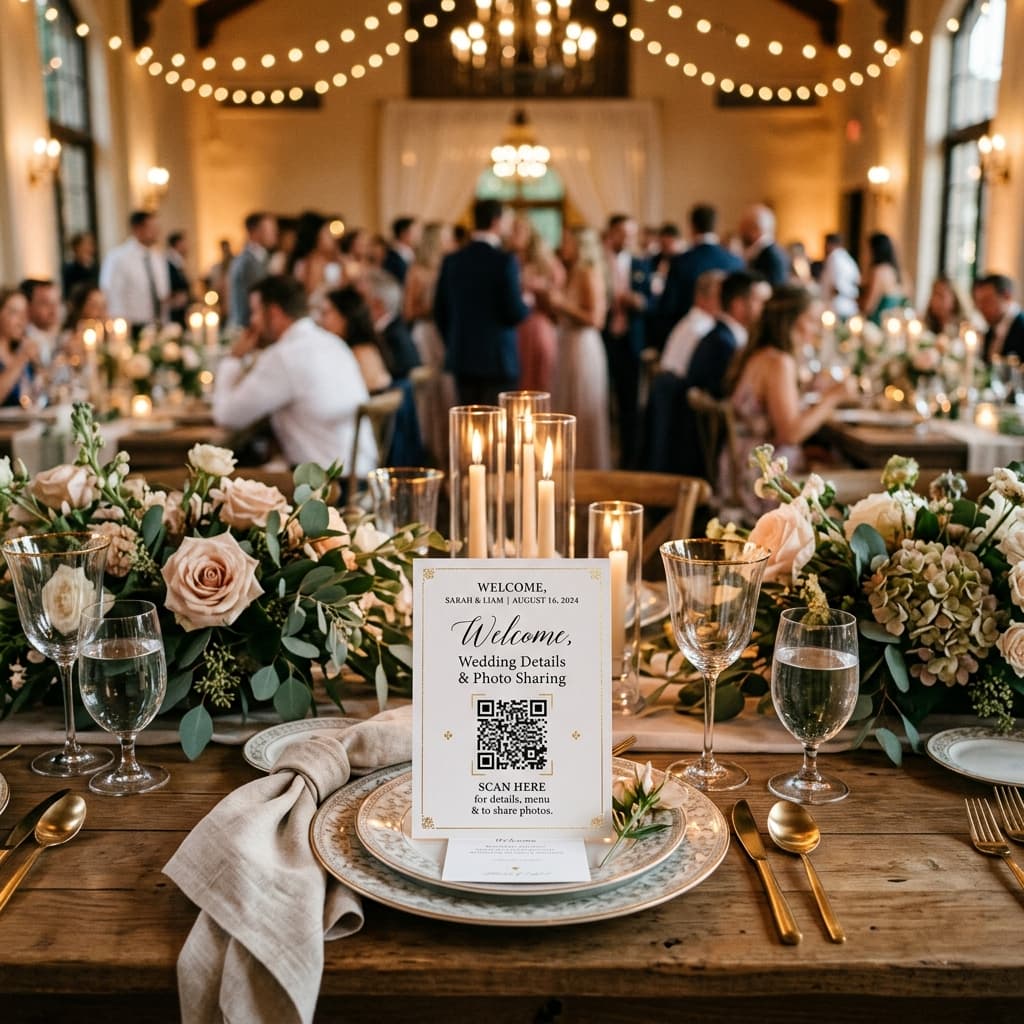
Imagine that at every table at your wedding, there is a small, elegant card with a QR code. Your guests simply need to:
- Scan the code with their phone.
- Select photos from their gallery.
- Hit "Upload."
And that's it! No sign-up, no downloads, and original resolution preserved.
3. Advantages of Centralizing Photos in the Cloud
When you decide to use a dedicated system to collect wedding photos from guests, you get benefits that manual methods can't offer:
- Automatic Organization: Photos go directly to a centralized folder (for example, in your personal Google Drive).
- Print Quality: Since there is no compression, if a guest takes a spectacular photo of the first dance, you can print it large or include it in your official album.
- Total Privacy: You control who sees the photos. Unlike social media, this is a private channel between your guests and you.
4. Tips to Get Your Guests to Participate
For this method to be a success, you need guests to know it exists. Here are some tips:
- Strategic Signage: Place QR codes on tables, at the open bar, and near the photo booth.
- DJ Announcement: Ask the DJ or MC to make a brief reminder mid-event: "Don't forget to upload your photos by scanning the QR on the tables!".
- Live Slideshow: If you use a platform like AlbumDrive, you can display photos in real-time on a screen. Nothing motivates guests to upload more than seeing their own photos projected at the party seconds after taking them.
Conclusion
Knowing how to receive wedding guest photos efficiently is the difference between having your memories organized forever or losing them in the oblivion of group chats.
If you're looking for a professional, hassle-free solution for your guests that saves everything to your own Google Drive, check out what we've built at AlbumDrive. It's the easiest way to ensure no special moment stays only on someone else's phone.
Was this guide helpful? Share it with other couples in the middle of planning and say goodbye to infinite WhatsApp groups.