

Your guests’ photos,
in your birthday album
Your guests open the link or scan the QR code and upload their party photos and videos from their device. No apps, no accounts, no lost quality. Everything is saved in your Google Drive, under your control.
Free: 30 photos with 3 days to collect them · No credit card required
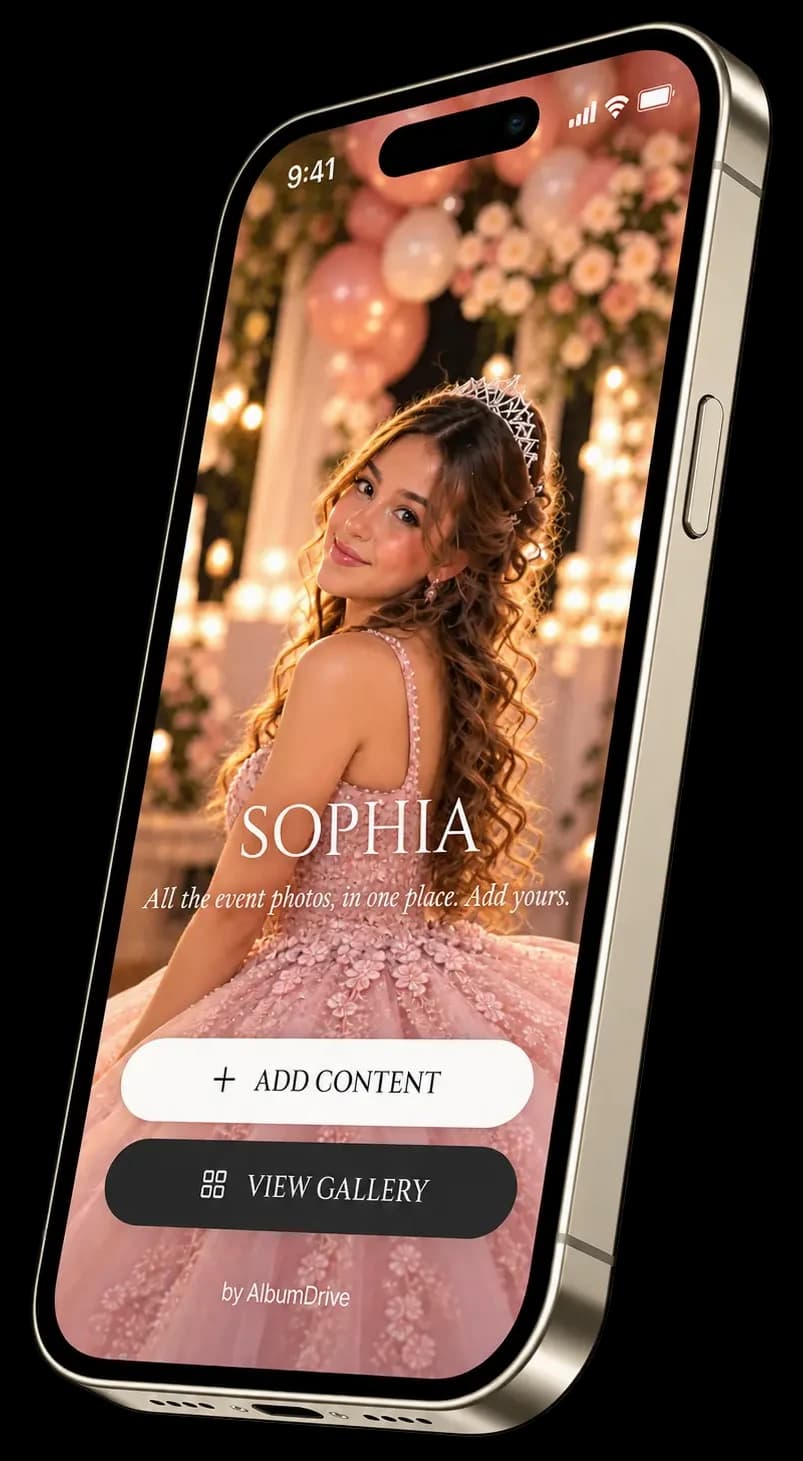
Stop digging through messages for party photos.
Collect photos and short videos of the cake, toasts and dancing in an album shared with your guests. Files are saved in the Google Drive you connect and are not deleted when the upload window ends. Short videos are available with paid plans.
Try what your guests will see
Upload a test photo and discover how the album works.
- 1Open the demoTap "Try the demo" to open it on this device, or scan the QR code from another device if you see one on screen.
- 2Upload a test photoTest photos are deleted automatically and don't affect your album.
- 3See the resultOpen the album to see your photo.
How to collect birthday photos with QR
Connect Drive, share the QR and receive the photos guests choose to upload.
Connect Google Drive
Create your event and connect your Google Drive account to store the files.
Share the link or QR code
Send the direct link via WhatsApp or print the QR code for the party. Guests access in one click.
Receive guest photos
Guests pick their best photos and upload them from their device. Everything goes straight to your Google Drive.
Your party memories, in one album
From the cake to the last dance, discover the moments your guests captured.
Your memories stay in your Drive
Photos stay in your Google Drive when the upload window ends. Organize and download them from your account.
No apps or accounts for guests
Guests scan the QR code or open the link, choose their photos and upload. No apps to install or accounts to create.
Live birthday photo slideshow
With Premium, show guests’ uploaded photos on the venue screen. The screen needs an internet connection and the event’s projection link.
AlbumDrive or other options?
| Feature | AlbumDrive | Other options |
|---|---|---|
| Guest uploads | QR or link, no guest account | Asking for photos via WhatsApp, groups or forms |
| Event gallery | Online gallery included | No gallery, or paid gallery |
| Photo quality | Selected photo files without recompression | Compressed in chats and groups |
| Photo ownership | Your files, in your Google Drive | Scattered across chats or another app's servers |
| Sharing controls | Gallery settings; extra controls with Premium | No gallery control or moderation |
Guest uploads
AlbumDrive
QR or link, no guest account
Other options
Asking for photos via WhatsApp, groups or forms
Event gallery
AlbumDrive
Online gallery included
Other options
No gallery, or paid gallery
Photo quality
AlbumDrive
Selected photo files without recompression
Other options
Compressed in chats and groups
Photo ownership
AlbumDrive
Your files, in your Google Drive
Other options
Scattered across chats or another app's servers
Sharing controls
AlbumDrive
Gallery settings; extra controls with Premium
Other options
No gallery control or moderation
Choose a plan for your birthday
Start free. Need more? Pay once per event. No subscription.
FREE
Try your album with up to 30 photos over 3 days.
- Up to 30 photos in original quality*
- Photos only; short videos on paid plans
- 3 days to receive photos
- Guest album while the event remains available
- Access via link or QR, no accounts
Plus
Collect photos and short videos over 30 days. Customize your album and hide content after upload.
- Everything in Free Plan
- Virtually unlimited photos*
- Short videos up to 30 seconds
- 30 days to receive photos
- Photo likes and favorite ranking
- Hide photos from the album anytime
- Customize colors and cover
- No AlbumDrive watermark
Premium
Everything in Plus, with a live slideshow and prior approval. Choose when to reveal your gallery.
- Everything in Plus Plan
- Show photos on screen during your event
- Choose when to show the gallery
- Approve photos before they appear in the gallery or slideshow
- Guest access with an event PIN
- Custom link for your event
* Plan limits and available Google Drive storage apply. Saved files are not deleted when the upload window ends.
Party FAQs
Everything about AlbumDrive for your birthday or Sweet 16.

Make this birthday unforgettable
Prepare the album for your birthday photos
Create your free album: 30 photos with 3 days to collect them. Ready in 2 minutes.
A more intimate gathering: baby shower, dinner or farewell? See the Celebrations option